
DISCOUNTED EDUCATION PRICING! CALL 1-877-891-8411. We Gladly Accept School Purchase Orders!

In a world where visual communication reigns supreme, having the right tools to create stunning, high-impact posters can make all the difference. Whether you’re a small business owner promoting your latest event, a graphic designer crafting eye-catching marketing materials, or an educator needing vibrant classroom displays, a poster printer system is your gateway to professional-grade results without breaking the bank. But what exactly is a poster printer system, and why should you care? In this comprehensive guide, we’ll dive deep into everything you need to know, answering your burning questions and providing actionable insights to help you choose, set up, and optimize one for your needs. By the end, you’ll be equipped to elevate your printing game and stand out in a crowded visual landscape.
As an tech expert with years of experience helping school’s with educational technology, I’ve crafted this article with the latest printer tech in mind—focusing on helpful, user-first content that delivers real insight. I want to bring value to the reader, so let’s get started with proven advice backed by industry knowledge.
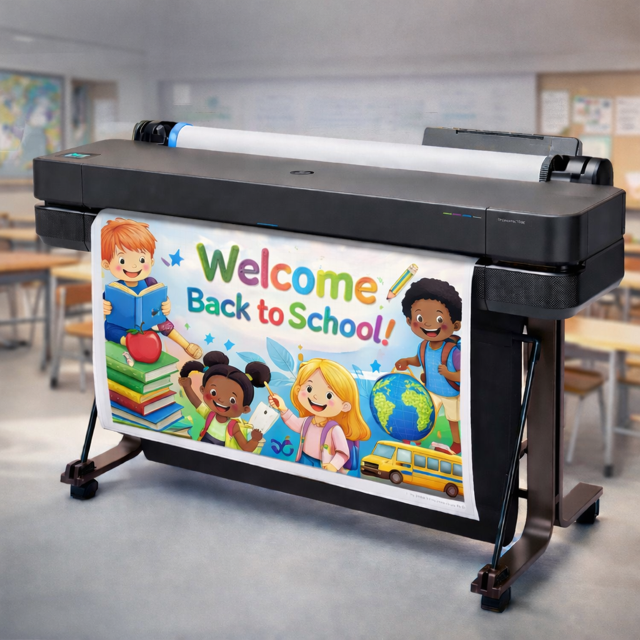
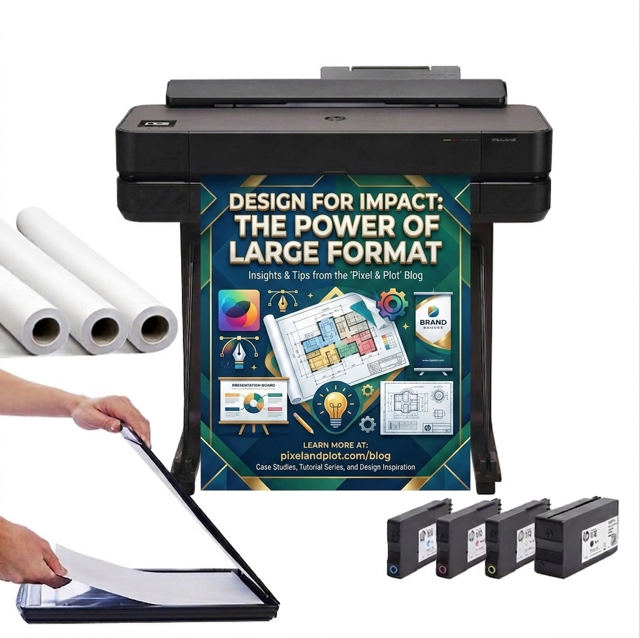
Imagine transforming your digital designs into larger-than-life prints that captivate audiences. A poster printer system is essentially an integrated setup that combines hardware, software, and sometimes accessories to produce high-quality posters on a large scale. Unlike standard home printers limited to letter-sized paper, these systems handle formats up to 24×36 inches or even bigger, using specialized inks, media, and technology for vibrant, durable results.
At its core, a poster printer system includes:
Why does this matter in 2026? With the rise of hybrid events, e-commerce visuals, and personalized marketing, businesses are investing more in in-house printing solutions. According to recent industry reports, the global large-format printing market is projected to grow by 5.5% annually, driven by demand for customizable posters.
You might be wondering: Why not just outsource to a print shop? Great question! While professional services have their place, owning a poster printer system offers unparalleled advantages that can save time, money, and hassle.
Real-world value: A small marketing agency I consulted for switched to an in-house poster printer system and reported a 30% increase in client satisfaction due to faster turnaround times. If you’re running a business, this could be the edge you need.
Not all poster printer systems are created equal. Let’s break down the main types to help you decide.
Question: What’s the best entry-level poster printer system for beginners? Answer: Start with the Epson Expression Photo HD XP-15000—affordable at around $300, user-friendly, and capable of 13×19-inch prints. It’s a gateway to larger systems without overwhelming complexity.
When choosing a poster maker printer, consider your volume (low for hobbyists, high for businesses), space, and budget. Pro tip: Look for systems with wireless connectivity for seamless integration with design apps.
Note: Prices and models accurate as of January 2026; always check current listings.
Ready to buy? Here’s a step-by-step guide to ensure you get a system that ranks high in performance (pun intended).
Use online tools to compare specs. For instance, check user reviews on sites like Amazon or B&H Photo. Key factors: Print speed (pages per minute), ink costs, and warranty.
Common Pitfall: How do I avoid color mismatches? Calibrate your monitor and printer using ICC profiles. Software like Adobe Color Management makes this easy.
Maintenance tip: Clean printheads monthly and use genuine inks to prevent clogs, extending your poster maker system’s life.
To add even more value, let’s tackle some real questions people search for:
Q: Are poster printer systems worth it for home use? A: Absolutely, if you frequently create custom decor, party banners, or educational materials. They pay for themselves after 20–30 prints.
Q: What’s the difference between a poster printer system and a regular printer? A: Scale and quality—poster systems handle wide media and use archival inks for fade-resistant results.
Q: How much does ongoing maintenance cost? A: Ink refills average $50–$100 per set, lasting 50–200 prints. Factor in paper rolls at $20–$50.
Q: Can I print on fabric with these systems? A: Yes, many support textile media for soft signage, expanding your creative options.
Q: What’s new in poster printer systems for 2026? A: AI-driven color correction and eco-inks are trending, making prints smarter and greener.
A poster printer system isn’t just equipment—it’s a powerhouse for creativity and efficiency. By following this guide, you’re not only informed but empowered to make a choice that boosts your projects. Whether you’re printing for business, art, or fun, the right system can transform ideas into impactful realities. Ready to get started? Research your options and watch your visuals soar.
Additionally, If you have more questions, drop them in the comments—I’m here to help!
Susan Burrass is a seasoned printing technology expert with over 15 years in the graphic design and large-format printing industry. She has consulted for Fortune 500 companies on optimizing print workflows and holds certifications in Adobe Creative Suite and color management. Susan’s passion for innovative printing solutions has led her to author numerous articles on emerging tech, helping readers navigate complex systems with ease. When not tinkering with printers, she’s exploring sustainable materials for eco-friendly designs. Connect with her on LinkedIn for more insights.