
DISCOUNTED EDUCATION PRICING! CALL 1-877-891-8411. We Gladly Accept School Purchase Orders!
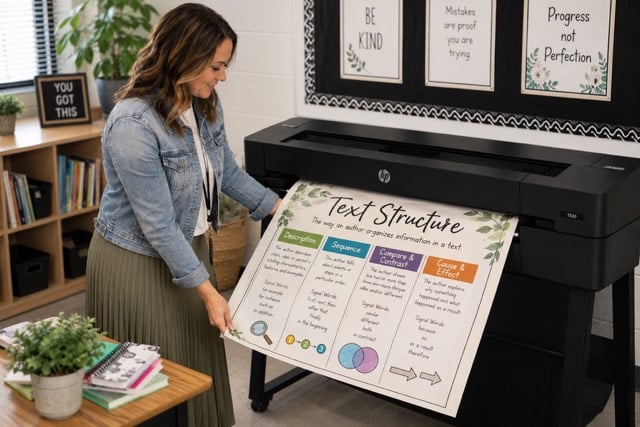
By the Education Graphic Solutions team · Updated October 2026
Short answer: for most K-12 schools without print-shop staff, the best poster printer is a complete school package such as the HP-powered, Canva-ready Education Graphics Poster Maker. Ink and paper for a standard 24×36 poster cost about $1.30, and packages start at $2,495.
Choosing the right school poster printer is a big purchase for any K-12 school or district. An in-house poster printer lets teachers print anchor charts, PBIS and SEL signage, STEM displays, hallway posters, and event banners on demand, for about $1.30 in ink and paper per standard 24×36 poster instead of paying a print shop for every job.
This guide covers what to check before you buy, which setup fits elementary, middle, high school, and district needs, how in-house costs compare with outsourcing, and answers to the questions schools ask most.
A note on where we stand: we make and sell the Education Graphics Poster Maker. We explain below why we recommend it for most schools, and where other options can make more sense.
Schools use more visual material than ever: anchor charts, word walls, PBIS matrices, SEL and growth-mindset posters, safety and emergency signage, event banners, and student showcases. Ordering these from a print shop often costs $15–$25 or more per poster and can take days, which delays instruction and strains budgets. An in-house poster printer lets staff print the same day at a predictable cost per poster.
From elementary reading walls to high school science labs, large-format printing supports differentiated instruction, school events, school pride, and communication with families.
Before you compare brands, check each option against this list:
For a step-by-step walkthrough of width, cost, and software, see how to choose the right poster printer for your school.
Elementary buildings print anchor charts, word walls, reading and math displays, and student recognition posters in steady daily volume. A 24″ printer in the media center or workroom covers most of it. A package with a scanner lets staff enlarge hand-drawn student work into full posters.
Middle schools split printing between classroom materials and clubs, athletics, and events. A 24″ printer handles day-to-day posters; consider 36″ if you expect to print many banners.
High schools print athletics schedules, theater and band promotion, CTE displays, and senior and college-signing banners. Many high schools choose a 36″ printer for the extra width.
Districts that centralize printing for several campuses should plan around volume and staffing: wider machines, more than one printer, and a clear process for submitting and tracking jobs.
Which Education Graphics package fits? The Bronze package is the entry-level 24″ printer for a classroom, library, or front office. The Silver package adds a high-resolution scanner, and the Gold package adds a pre-installed design laptop as well.
Ink and paper for a standard 24×36 poster cost about $1.30 in-house. Print shops often charge $15–$25 for the same poster. Here is what that difference looks like at different volumes (yearly figures assume 12 months of printing):
| Posters per month | In-house at $1.30 (month) | In-house at $1.30 (year) | Outsourced at $15 (month) | Outsourced at $15 (year) | Outsourced at $25 (month) | Outsourced at $25 (year) |
|---|---|---|---|---|---|---|
| 25 | $32.50 | $390 | $375 | $4,500 | $625 | $7,500 |
| 50 | $65 | $780 | $750 | $9,000 | $1,250 | $15,000 |
| 100 | $130 | $1,560 | $1,500 | $18,000 | $2,500 | $30,000 |
| 200 | $260 | $3,120 | $3,000 | $36,000 | $5,000 | $60,000 |
Break-even: at a typical $20 print-shop price, each poster printed in-house saves about $18.70 ($20.00 − $1.30). A $2,495 package pays for itself after about 134 posters ($2,495 ÷ $18.70 ≈ 133.4). At $15 per poster it takes about 183 posters; at $25, about 106.
In-house figures cover ink and paper only, not the package price. See the full breakdown on our cost to print school posters page.
We build and sell the Education Graphics Poster Maker, so weigh our recommendation with that in mind. Our reasoning: in schools without dedicated print-shop staff, a complete package (printer, design software and templates, supplies, setup, training, and support from one vendor) gets used far more than a bare wide-format printer that staff must set up and support themselves. That complete package is what we put together for K-12 schools.
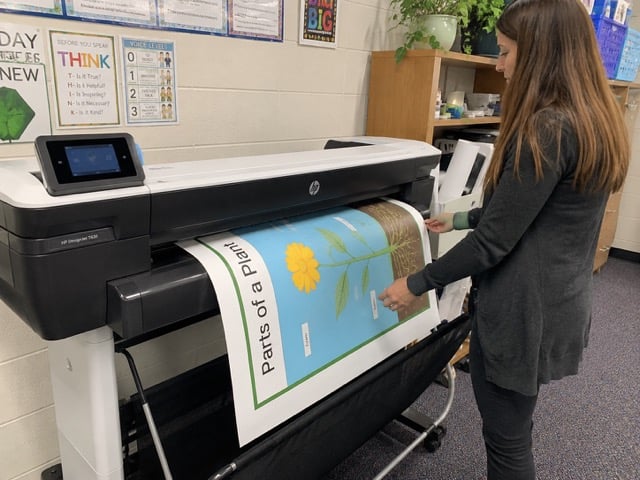
Education Graphics systems are built on HP DesignJet hardware. What we add is the school side: EGS poster design software and templates, Canva-ready wireless printing, ink and paper, setup and training, and lifetime phone support. Depending on the package you also get a scanner, a pre-installed design laptop, or a laminator.
Teachers can design in Canva, Google Slides, or PowerPoint and print over Wi-Fi, or start from a template. A standard 24×36 poster costs about $1.30 in ink and paper.
Every package bundles the printer with software, starter supplies, and support. See the Bronze, Silver, and Gold notes above, or ask our sales team which package fits your building.
When a school can print its own posters:
Any poster making machine can print a poster. The difference for schools is everything around it: other brands sell capable hardware, but schools often have to add design software, templates, training, and support on their own. An education package puts all of that in one purchase with one number to call.
Education Graphics systems are built on HP DesignJet hardware, so the print engine, print quality, and reliability are HP’s. A bare DesignJet from a reseller is a reasonable choice for districts with IT or print-shop staff who will handle setup, software, and teacher support themselves. What the Education Graphics package adds is the school layer: EGS design software and templates, a laminator (depending on the package), setup, training, and lifetime phone support.
Impressive durability and waterproof pigment inks excel for signage exposed to elements or heavy handling. High-volume capability suits large districts. The downside? Steeper learning curve and less emphasis on simple education software integrations. Better for facilities teams than classroom teachers.
Known for excellent color reproduction, particularly in graphics and photo work. Good value and school packages exist. Yet, software remains more general-purpose, and some users report higher maintenance needs in dusty school environments. Strong for art departments but falls short of the all-around education optimization of the top pick.
Choose a bare wide-format printer if you have staff to set it up and support teachers. Choose a complete school package if you want teachers printing in the first week, with one vendor for software, supplies, training, and support. That second group is who we built the Education Graphics Poster Maker for.
Start by assessing your needs:
For most elementary and middle schools, the 24-inch Education Graphics Poster Maker with Gold Package offers the best starting point. High schools and districts often scale to 36-inch models.
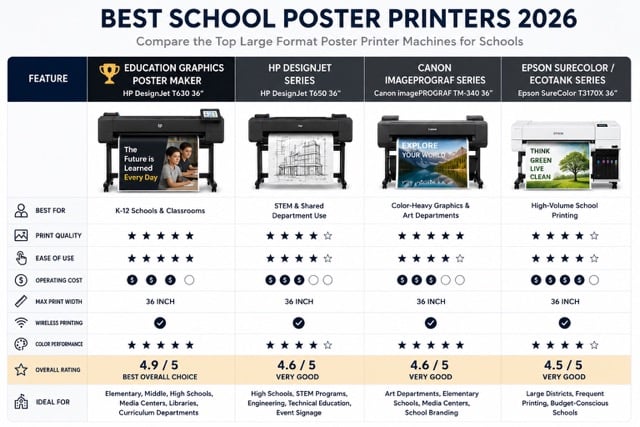
Request a live demo with your own sample files or a detailed quote. Ask for cost-per-poster figures and references from similar-sized schools. Explore Title I and Title IV-A funds, education grants, and PTA contributions, and check whether the vendor accepts school purchase orders. Many providers offer trade-in programs for older equipment.
Designate 2–3 “poster champions” per building for initial training and ongoing support. Create a simple reservation calendar for high-demand periods. Keep poster paper and ink stocked and set simple best practices (file naming, design guidelines). Integrate with existing digital workflows so teachers can submit requests digitally when needed.
Many districts run a pilot in one building before a full rollout, using the results to justify broader investment. Professional development focused on design tips and curriculum connections speeds up buy-in.
Sustainability remains a priority—choose systems with low-energy modes and recyclable components. Cybersecurity features protect student data in connected printers. Cloud-based template libraries that update automatically keep content fresh with new educational trends.
Look for vendors offering ongoing professional learning communities where educators share best practices and designs. We’ve listed 100 ways schools use poster printers.
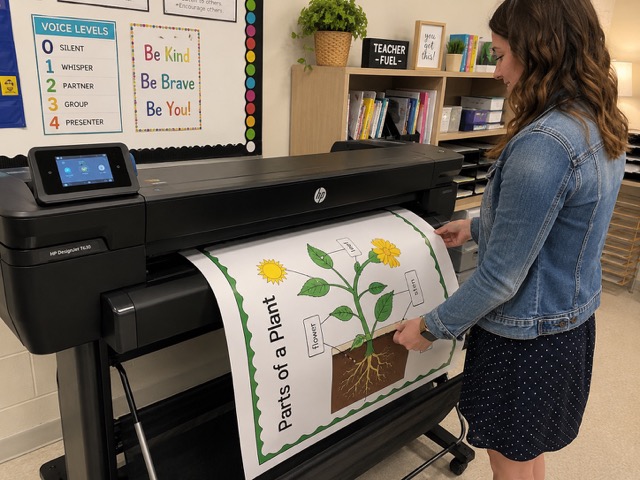
For most schools without print-shop staff, the best choice is a complete school package: a wide-format printer plus design software, templates, supplies, training, and support from one vendor. Schools with dedicated print staff can also do well with a bare wide-format printer. We recommend the Education Graphics Poster Maker for the first group.
A 24″ printer prints the full 24×36 classroom poster and is the starting point for most schools. Choose 36″ if you plan to print many hallway posters and banners.
A standard 24×36 poster costs about $1.30 in ink and paper on an Education Graphics system, compared with roughly $15–$25 at a print shop. Heavier coverage and premium media cost more.
Many schools buy poster printers with Title I or Title IV-A funds when the purchase supports instruction; your district’s federal programs office makes the final call. E-Rate does not cover poster printers. See our Title I funding page for details.
Yes. We accept school and district purchase orders. Contact our sales team at 1-877-891-8411 or request a quote to get started.
Warranty coverage depends on the package. Ask our sales team for the current terms on the package you are considering, and compare packages on our poster maker packages page.
Yes. Education Graphics poster printers are Canva-ready, so teachers can design in Canva and print over Wi-Fi. They can also print from Google Slides, PowerPoint, and other apps.
In-house poster printing gives schools same-day turnaround and a much lower cost per poster than outsourcing. If you want teachers printing quickly with one vendor for software, supplies, training, and support, we recommend the Education Graphics Poster Maker. If you have print-shop staff, a bare wide-format printer may be all you need.
Ready to compare options for your school? Contact Education Graphic Solutions for a demo, current pricing, and a cost estimate based on your school size and expected volume. Have questions? Visit our FAQ page to find out more about the best poster printer for schools.
Comparing categories? Learn what a poster maker machine is, which size fits your school, and what it costs to run.