Quick answer: Many schools use both kinds of printer. Laser printers and copiers handle worksheets, tests and letters home. A wide-format inkjet that prints from a paper roll handles posters, anchor charts and banners, because it prints a full 24×36 poster in one piece. Poster printer packages cost $2,495 to $8,995 at published prices, and each 24×36 poster costs about $1.30 in ink and paper.
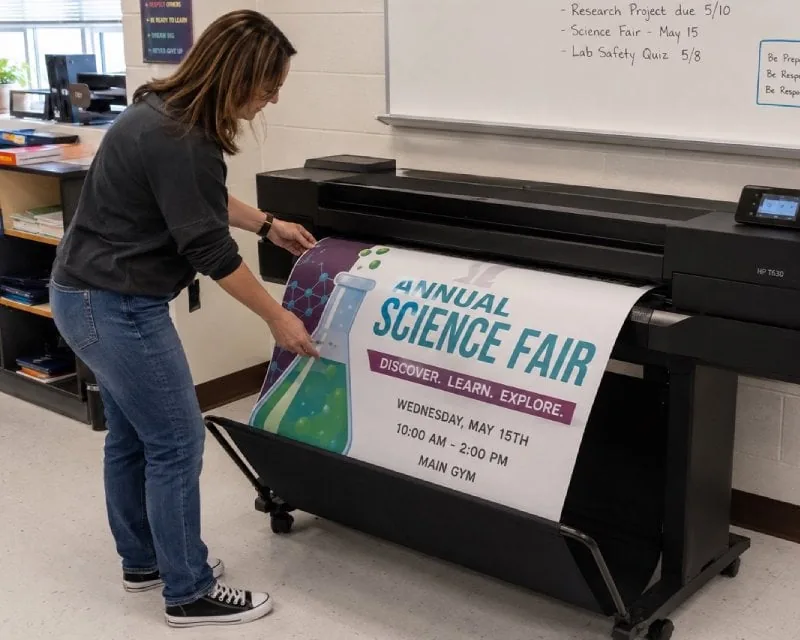
Below are seven common printer questions from school staff. Each answer starts with the short version and links to the full guide when there is more to say.
A wide-format (large-format) inkjet printer. It prints from a paper roll 24, 36 or 44 inches wide, so a full 24×36 poster comes out in one piece. A regular letter-size printer can only build a big poster by tiling: a 24×36 poster takes 15 to 16 letter sheets that you trim and tape together.
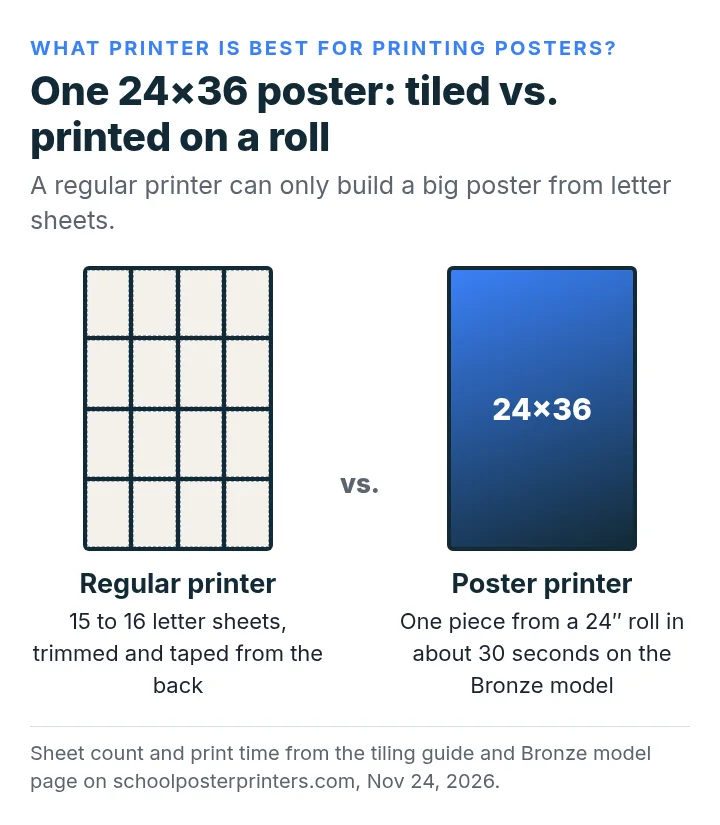
Tiling is fine for a poster or two a year, and the steps are in how to print a poster on a regular printer. Once posters, anchor charts and event signs become a weekly job, a roll-fed printer saves the trimming and taping. The entry-level Bronze model prints a 24×36 poster in about 30 seconds.
Width sets the widest print. Length is limited only by the roll, so even a 24″ printer prints long banners. Pick the width from the largest print you make regularly.
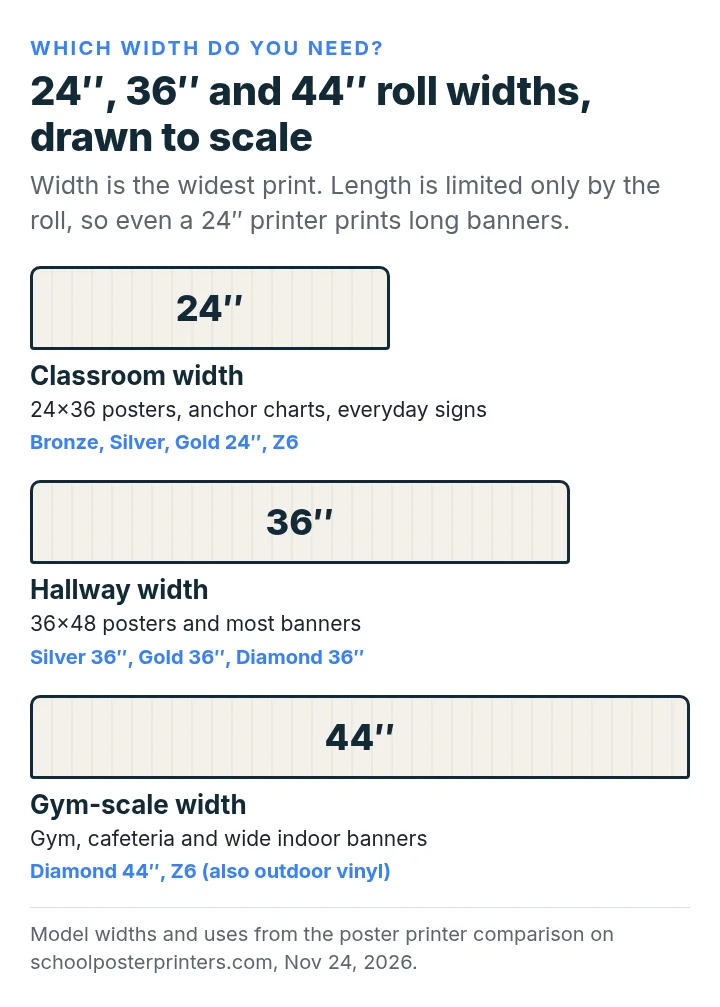
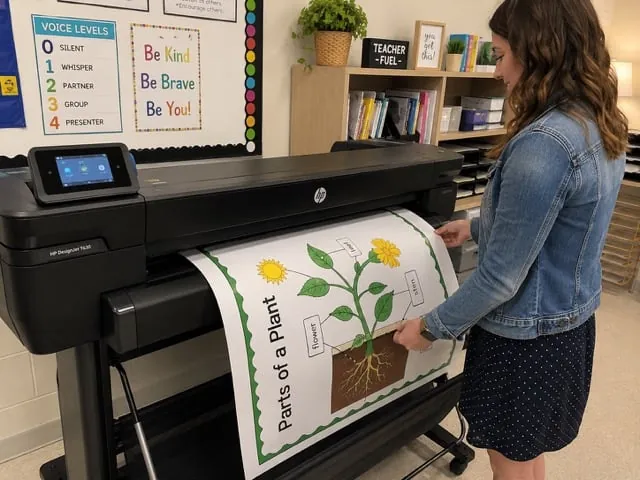
A 24″ printer covers the standard 24×36 classroom poster and anchor charts. Go to 36″ for 36×48 hallway posters and frequent banners, and 44″ for gym-scale signs. The 24″ vs. 36″ sizing advice in the buying guide goes deeper, and the school poster sizes chart lists common print sizes.
No single printer does every school job well, so many schools run two kinds. Laser printers and copiers handle the daily paper load. One shared wide-format inkjet in a workroom, library or media center handles everything that goes on a wall. For the poster printer, the right model depends on three things: the biggest print you make often, whether staff need to scan and enlarge originals, and whether you print outdoor banners.
The 2026 buying guide for poster printers walks through each factor, and the side-by-side comparison of all seven models shows widths, prices and what each one adds.
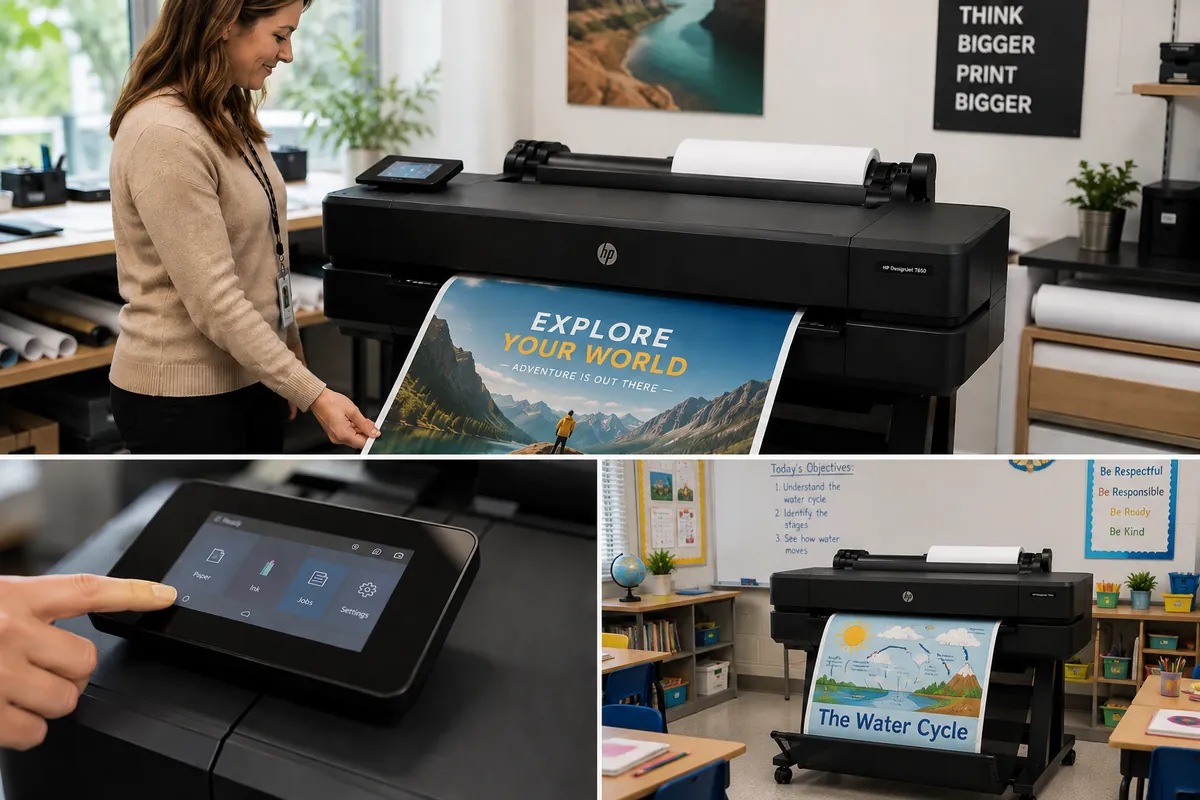
For a printer many staff will share, look for:
Education Graphics poster printers for schools check each box: every model includes wireless printing, live virtual training, a 3-year parts-and-labor warranty and unlimited phone support.
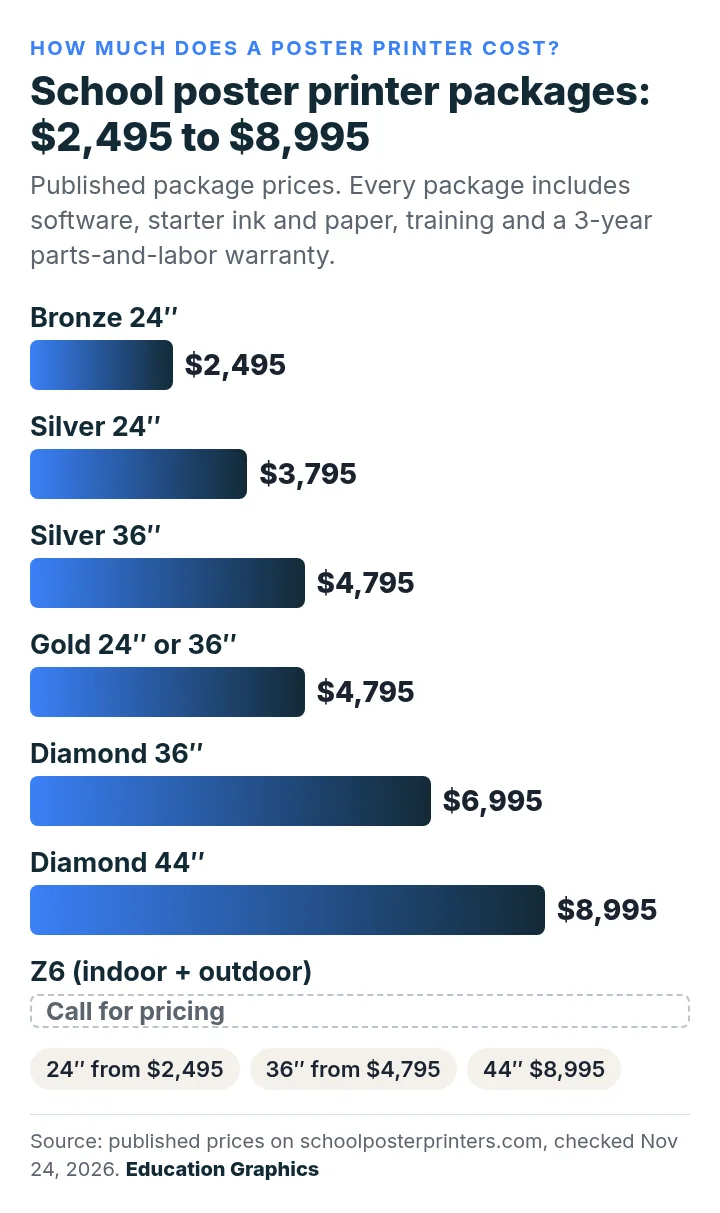
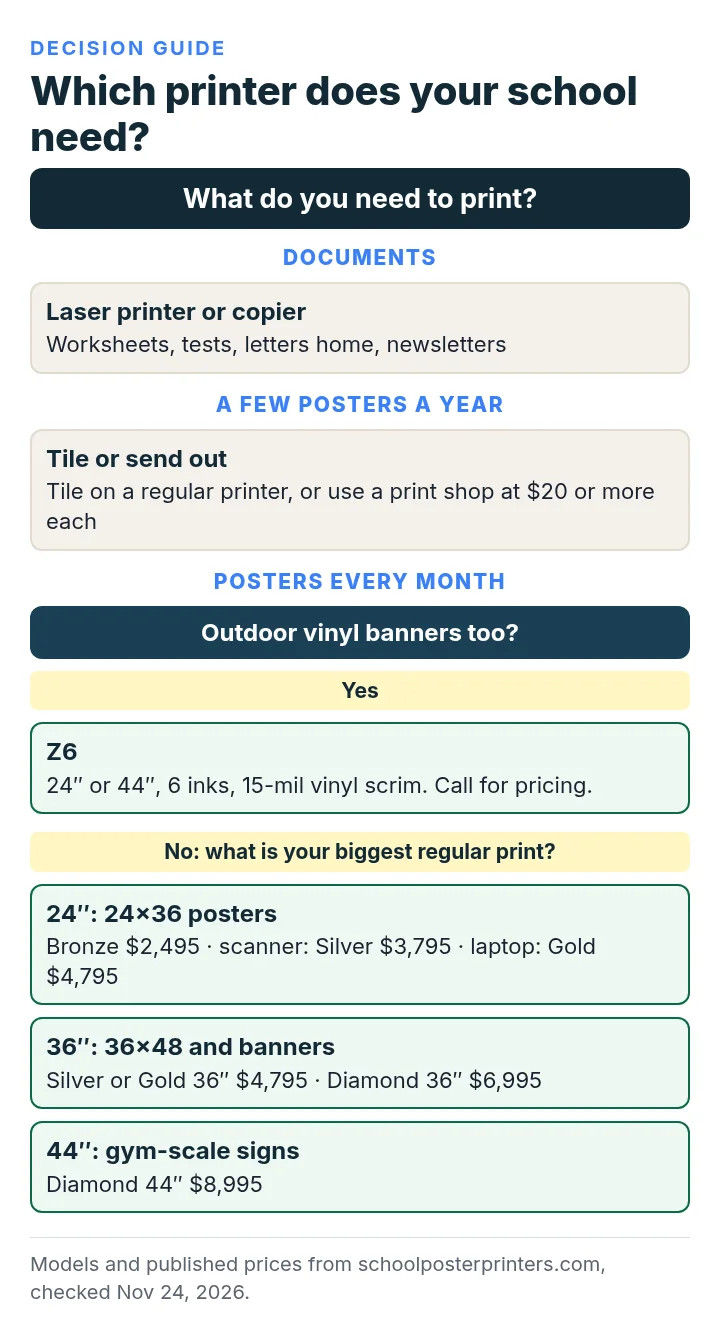
Poster printer packages cost $2,495 to $8,995 at published prices: Bronze 24″ $2,495, Silver $3,795 ($4,795 at 36″), Gold 24″ or 36″ $4,795, Diamond 36″ $6,995 and Diamond 44″ $8,995. The Z6, which also prints outdoor vinyl banners, is call for pricing.
Running cost is the other half of the answer. A full-color 24×36 poster costs about $1.30 in ink and standard matte paper, or $2.00 to $2.84 on premium paper, compared with $20 or more at a print shop.
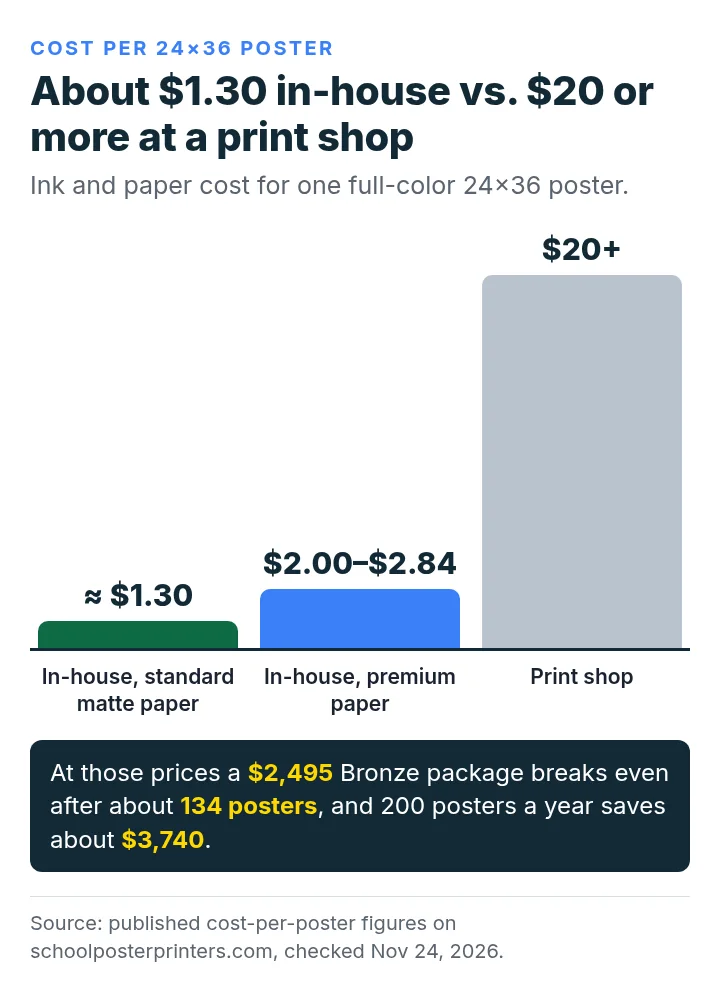
The full cost-per-poster breakdown shows the math, and the package contents list shows what each price includes. Schools can buy with a purchase order. For budget help, see what Title I allows, other funding sources and the free grant template.
Both, for different jobs. Laser printers and copiers fuse toner onto cut sheets, which makes them the workhorses for worksheets, tests, newsletters and letters home. They print letter and legal paper, and larger office models take 11×17. Anything bigger has to be tiled.
Poster printers are inkjets. Every wide-format poster printer on this site prints liquid ink from a paper roll 24, 36 or 44 inches wide, which is how a 24×36 poster, a long banner or an anchor chart comes out in one piece.
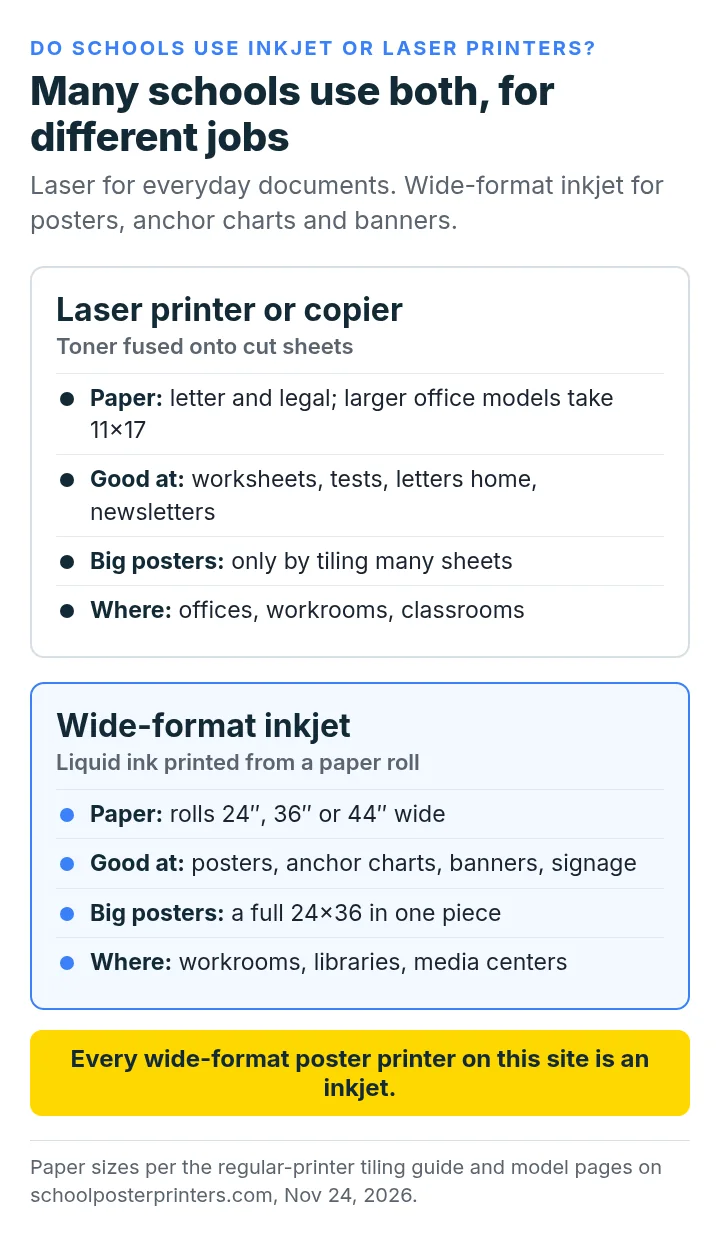
| Laser printer or copier | Wide-format inkjet | |
|---|---|---|
| How it prints | Toner fused onto cut sheets | Liquid ink printed from a paper roll |
| Largest print | Letter or legal; 11×17 on larger office models | As wide as the roll (24″, 36″ or 44″), as long as you need |
| Best school jobs | Worksheets, tests, forms, newsletters | Posters, anchor charts, banners, event signs |
| A 24×36 poster | 15 to 16 letter sheets, trimmed and taped | One piece, about $1.30 in ink and paper |
Terms like roll width, DPI and pigment ink are defined in the poster printer glossary.
For worksheets, the classroom or workroom printer a teacher already has is the affordable answer. For posters, price one shared poster printer for the building against ongoing print-shop orders.
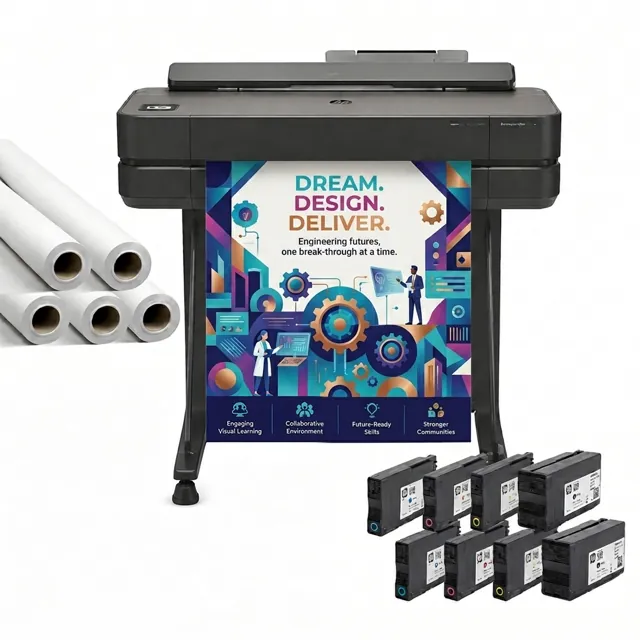
The Bronze 24″ package is $2,495. It fits on a workroom counter, prints over USB or Wi-Fi (including from a phone) and makes a 24×36 poster for about $1.30. Against $20 print-shop posters, it pays for itself after about 134 posters. It has no scanner, stand or laptop; those start with Silver and Gold.
A teacher without a poster printer can still tile posters on a regular printer. Teachers who want one for their building can apply for a grant: start with how to write a poster printer grant.
Neither brand is better at everything. Both make capable 24-inch wide-format inkjets for posters, and the manufacturer spec sheets for their popular 24-inch models are close.
| Spec | HP DesignJet T630 24-in | Epson SureColor T3170 24″ |
|---|---|---|
| Maximum width | 24″ | 24″ |
| Rated D-size (24×36) print | 30 seconds | 34 seconds |
| Resolution | Up to 2400 × 1200 optimized dpi | Up to 2400 × 1200 dpi |
| Ink | 4 cartridges: dye-based cyan, magenta, yellow; pigment-based black | 4 cartridges: all-pigment UltraChrome XD2 |
| Color cartridge size | 29 ml | 26 ml or 50 ml |
| Wireless printing | Yes | Yes, plus Wi-Fi Direct |
Sources: HP DesignJet T630 datasheet; Epson SureColor T3170 specifications. Rated speeds are the makers’ figures; real speed depends on the file and print mode.
The biggest real difference is ink. Pigment ink resists water and fading, which helps prints that hang in sunlight or get handled a lot. That is also why outdoor printers such as the Z6 use pigment ink. Most classroom and hallway posters hang indoors, away from rain and direct sun.

Education Graphics paper poster printers run on genuine HP ink, and the Bronze package is built on the HP DesignJet T630 24-inch. It uses HP 712 cartridges: an 80 ml black cartridge for $75, 29 ml cyan, magenta and yellow cartridges for $65 each, or the set of four for $250. Every package adds what a bare printer leaves out: software and templates, starter ink and paper, live virtual training, a 3-year parts-and-labor warranty (printheads are not covered) and unlimited phone support.
If your district already standardizes on Epson, an Epson wide-format printer is a sound choice too. Compare the whole package, not just the printer: software, training, warranty length, supply prices and who answers the phone when something jams.
Use this decision guide to match the printer to the job, then check the model that fits.
Schools that call these machines poster makers can find uses, costs and buying steps in the guide to poster makers for schools.
Seven models from 24″ to 44″, with published prices.
Compare printersSoftware, ink, paper, scanner or laptop: what each package includes.
View packagesPricing for your school or district.
Request a quoteA wide-format inkjet printer that prints from a paper roll 24, 36 or 44 inches wide, so a 24×36 poster prints in one piece. A regular letter-size printer needs 15 to 16 tiled sheets for the same poster.
Many schools use two kinds: laser printers or copiers for documents, and one shared wide-format inkjet for posters, anchor charts and banners. Choose the poster printer by the biggest print you make often, whether you need a scanner, and whether you print outdoor banners.
Poster printer packages cost $2,495 to $8,995 at published prices, from the Bronze 24-inch to the Diamond 44-inch; the Z6 is call for pricing. Each 24×36 poster costs about $1.30 in ink and standard paper, versus $20 or more at a print shop.
One that many staff can share: Wi-Fi printing from Chromebooks and laptops, printing from Canva, Google Slides and PowerPoint, simple setup with training, a multi-year warranty and phone support.
Both. Laser printers and copiers print documents on letter, legal or 11×17 sheets. Poster printers are wide-format inkjets that print from paper rolls, which is how full-size posters and banners print in one piece.
For posters, price one shared poster printer for the building against print-shop orders. The Bronze 24-inch package is $2,495, prints a 24×36 poster for about $1.30, and pays for itself after about 134 posters compared with $20 print-shop posters.
Neither is better at everything. Their popular 24-inch models have similar resolution and speed; the main difference is ink: the Epson T3170 uses all-pigment ink, and the HP T630 uses dye-based color with pigment black. Education Graphics paper poster printers run on genuine HP ink, and every package adds training, a 3-year parts-and-labor warranty and phone support.