
DISCOUNTED EDUCATION PRICING! CALL 1-877-891-8411. We Gladly Accept School Purchase Orders!
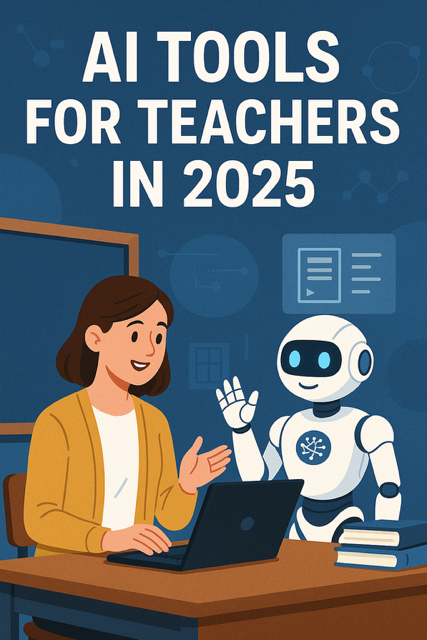
In 2025, the education landscape is shifting fast, and teachers are facing mounting pressure to do more with less. Enter AI: a classroom game-changer that’s helping educators across the globe streamline tasks, support diverse learners, and unlock student potential. But with the explosion of new tools, one big question remains: Which AI tools are actually worth using in your classroom?
This comprehensive guide covers the best AI tools for teachers in 2025, along with practical classroom use cases and time-saving tips. Whether you’re a tech-savvy educator or just getting started with artificial intelligence, these tools are ready to support your teaching journey right now.
Q: What’s driving the AI boom in classrooms?
A: Time and personalization. According to a 2024 ISTE survey, 73% of teachers using AI tools report saving 5+ hours per week. AI is helping automate repetitive tasks and deliver customized learning like never before.
“AI doesn’t take away from my teaching — it gives me time to actually teach.” — Amanda L., 5th Grade Teacher, Michigan
🧰 The 15 Best AI Tools for Teachers in 2025 (and How They’re Used)
1. MagicSchool.ai
🟢 “The ChatGPT for teachers”
- 💡 Generate quizzes, rubrics, parent emails, IEP reports, lesson plans
- 📘 Use case: Ms. Ruiz created 2 weeks of social studies lessons in 30 minutes.
2. Curipod
🎨 Interactive presentations + lessons generated with AI
- Create drag-and-drop activities, polls, and live lessons
- Students join with a code (like Kahoot, but smarter)
3. Diffit
📖 Reads a source and rewrites it at any reading level
- Great for differentiation and SPED
- Use it to make complex articles accessible for struggling readers
4. Khanmigo (by Khan Academy)
🎓 AI tutor that helps students AND teachers
- Offers hints, scaffolding, and step-by-step breakdowns
- Teachers can see student progress in real time
5. Education Copilot
📄 Built for busy educators needing quick lesson materials
- Lesson plans, bell ringers, essential questions, exit tickets — all in seconds
- Use case: Coach Parker used it to build a month of PE activities
6. SchoolAI
💬 Helps create safe student-facing AI chatbots
- Great for writing practice, feedback, tutoring
- Teachers moderate the conversations
7. Gradescope (by Turnitin)
📝 Auto-grading for math, CS, and short-answer questions
- Saves HOURS for high school and college teachers
- Use case: Graded 180 calculus quizzes in under 30 minutes
8. TeachMateAI
👩🏫 Streamlined, teacher-first AI platform
- Planning tools, behavior documentation, parent communication
- Integrates with Google Classroom
9. Quizizz AI
❓ Instantly creates quizzes from standards or custom content
- Self-paced or live mode
- AI helps level the questions
10. Formative AI (GoFormative)
📊 Real-time student feedback tool
- Track progress during instruction
- AI-generated hints + scoring
11. Canva Magic Studio
🖼️ Design classroom visuals, posters, and presentations
- Use “Magic Write” for quick content creation
- Great for newsletters, anchor charts, and slides
12. Gauth AI (formerly Gauthmath)
📷 Snap a math problem, get the solution + steps
- Students AND teachers use it for checking work
- Use case: Mr. Lee used it for instant remediation after a pretest
13. Twee
🎬 AI tool for creating ESL and language learning content
- Games, roleplays, flashcards, and more
- Supports multilingual classrooms
14. ClassPoint AI
📈 PowerPoint AI assistant for educators
- Transforms static slides into interactive experiences
- Add live questions and polls
15. ChatGPT (with Custom GPTs)
🤖 The Swiss Army knife of AI
- Custom GPTs for grading, writing feedback, coaching
- Pro tip: Use a prompt template bank to get consistent results
🤔 How Do Teachers Use AI Day-to-Day?
Q: Can AI really save teachers time?
A: Absolutely. AI isn’t just a trend; it’s a powerful tool in real classrooms:
- Write behavior logs and emails in seconds
- Instantly differentiate reading and math assignments
- Get real-time formative data and adapt on the fly
- Auto-grade short answers and written reflections
- Create weekly newsletters and visual supports in under 15 minutes
- Generate custom scaffolds for struggling learners
Q: Can AI help with students who have IEPs or are learning English?
A: Yes! Tools like Diffit, MagicSchool, and Twee allow teachers to instantly create modified assignments, leveled texts, and language support tools that meet students where they are.
💼 Getting Started with AI in the Classroom
New to AI? Start small. Here are three easy ways to begin:
- Automate lesson plans with MagicSchool.ai or Education Copilot.
- Level your content with Diffit for students reading below grade level.
- Create interactive slides with Curipod or ClassPoint AI for your next unit.
Pro Tip: Use ChatGPT to create a custom GPT trained on your standards, rubrics, and teaching style.
⚠️ What Are the Risks or Concerns with AI in Education?
Q: What are the downsides of using AI in the classroom?
A: AI tools are powerful, but they aren’t perfect:
- Can produce inaccurate content (“hallucinations”)
- Varying data privacy policies — read the fine print
- Potential over-reliance without human judgment
- Not always culturally responsive or inclusive
💡 Pro Tip: Think of AI as your teaching assistant — not your replacement. Always vet content before sharing with students.
✅ Final Thoughts: AI Won’t Replace You — It’ll Empower You
When used with intention, AI helps teachers do more of what matters:
- ✉️ More time for students
- 🌈 More creativity in instruction
- 🔄 More responsive learning paths
- 🎓 More equitable access to learning tools
You don’t need to be an AI expert. You just need to start. The best AI tools for teachers in 2025 are user-friendly, flexible, and built for real classroom challenges.
🔗 Helpful Resources